I'm using 8 on my primary desktop right now, haven't upgraded to 8.1 yet. Typing this comment on my Macbook Pro.
After using 8 for a while, I honestly don't see why people hate it so much. I don't use the Metro stuff, and the traditional Windows desktop experience is much faster. As a development environment I quite like it, and prefer it mightily over OSX as Apple tries to shoehorn that OS into an iOS-like frankenstein's monster.
I'll be upgrading to 8.1 as soon as I feel like it, but I just came here to chime in that I really don't get why people abhor 8 so much in the first place. It kind of feels like piling-on to me with no real substance behind. As a developer anyway--I can't speak to a non-technical user's experience with it.
We bought my junior high-aged son a laptop for Christmas last year, and it came with Windows 8. He hates it. I promise you I didn't say anything bad about it (because who wants to convince someone not to like the gift you just gave them?), but he came to me a few days later asking if I could "upgrade it to Mac OS". His words, not mine.
I think the reason he doesn't like it is that it's different from any computer he'd ever used at home or school before, and without any real benefit. He loves the Windows 7 gaming desktop we have in the living room but sees 8 as "weird" without a good reason for being so.
I personally didn't have an opinion on it until I tried to install a network printer and ended up bouncing between the Win 7-style control panel and the Win 8-style wizard thingy because neither one held all of the settings required to make it work. After a few minutes of that, I was about ready to pitch it out the living room window.
TL;DR it radically changed the UI without offering any noticeable advantages for having done so. That's why we came to not like it.
Bit worried my experience will also be voted down...
...but I had 2 kids (12 and 14) who also got new laptops and also hated windows 8. No, they didn't do a PR thing for Apple (ah, the vote down?), they wanted Windows 7 back. The daughter stopped using the laptop in favor of a tablet, which in its self is interesting, and boy asked for a Win 7 desk top for the following birthday, which he got. The two Win 8 laptops are currently sitting under my desk gathering dust as I type.
In retrospect I asked them both why, and both said it was essentially that Win 8 is an OS for a tablet, not a laptop or desktop. On a tablet, fine, other wise, not frustrating and close to unuseable.
Later on, I had to rush out and immediately buy a new PC for me. I had zero choice and had to buy a Win8 PC. I nearly cried. I hated it, and couldn't get my head round how I could have several application running, switch, and all that. It was like everything is locked in to full screen, and so on. The one single thing that saved it, was installing the classic menu thing, which I could configure to make Win 8 have a start menu, boot to desk top and remove the hotspot things. Now Win 8 runs like Win7, Vista, etc, Im fairly happy with it. The only problem for me now is that nagging feeling that a load of un-necessary Metro stuff is chugging int he back ground.
Lastly, No1 son (20) had to get a new laptop, and was again stuck with Win8. The classic menu thing has saved his day too. Shame I didnt know about it at the time for the other two.
No3 son (16), is due a new PC, and he was essentially refusing anything with win8, and was prepared to go second hand to avoid it. Now he knows he can get round metro in various ways, he's much happier about the idea of a Win8 machine.
Over all though, the one thing I want to know is why on earth a UI so obviously designed for a touch screen is being forced on laptop and desk top users which mice and keyboards and not touch screens. I have not used Win8 on a touch screen tablet, but I imagine it might work well. Now, Im quite happy with Win 8 as long as I get straight to the desktop, have a start menu as it vaguely was before, and can completely avoid metro. Win8 is fine, its just having this tablet UI forced on to my PC I have areal issues with.
Oh, never found a way for my 2nd screen to work with the metro thing either.
Lets hope my experience is somehow valid enough not to be voted down.
I have been using Apple machines since, I was 11, now 26. One year in high school, after I moved districts, I had to use Windows OS. I never used it too much as a teen or kid. A job after college required me to use a Windows XP desktop and it was un-fun.
Alas, I now have a Surface Pro. And it has become my sidekick, my go-to, it sleeps on the floor next to me. I still use my iMac, but its rare.
I have very few complaints for Windows 8 running on the Surface Pro. I think the OS was designed for machines just like the Pro. You can call them hybrids, for lack of a better term. Something you can use for both leisure and work.
Windows 8.1 is downloading right now on my Pro. And, not going to lie, I am still new to Windows and a little nervous. I hear so many stories of Windows "going bad" but that is on non-Microsoft made machines.
I guess what I am getting to, is Windows 8 was designed for machines with touch screens. It really excels in that format, but OEMs a year ago, were not selling hardware to support that.
I would pick up a Surface and give it shot.
>I use metro on a secondary monitor when hooked up to my Pro, without problems.
EDIT [long answer] When the iPad came out, I was happy and disappointed at the same time. I had dreamt of a tablet machine that could run Adobe CS Suite and Ableton, and more...But it didn't. That was okay, I still liked it, and iPad 3 was awesome. But still, I since a kid, dreamt of that "all in one machine." I at one point was saving up to buy an third party created macbook touch.
When the Surface Pro was announced, I was hooked. It was finally going to exist, a portable touch tablet with a pen that could run desktop programs. Not going to lie, its been great so far. If Apple makes a comparable tablet, I will buy that! Windows 8 felt like a compromise at first. Now, all the swipes and features are second hand, and work very well!
I made the decision to purchase 12 Surface Pros for our company's executive team for their need of mobile computing and entertainment in the air. They are pretty, fits all the criteria on the paper and seem more business oriented than the iPad.
Worst career decision in the recent 5 years. It's too heavy; it does not last as long; sometimes it became unresponsive; it does not have the popular app of the month; Office lost certifications between continents(how such thing happened I have no clue) it had to be re-activated multiple times while I talked my boss through the process when he was literally in the tropical jungle with a bad cell signal; our legacy business applications craps out 3 times during the week anyway... the list goes on
That does sound terrible. It's always a gamble on first generation products. Hopefully you returned them and got iPads. Nothing beats the Apple app store. I almost returned mine after a week.
I kept thinking, Windows sucks. The reality was, I didn't know how to use it. I do much of my work in Chrome, InDesign, Photoshop, Lightroom,and Illustrator. Haven't had any problems. Office is nice to have, but really only use OneNote.
I'm Chinese, my bosses happen to be Chinese too. We have iPads, tonnes of them, if not for the iPads laying around to distract the executives on several occasions I might be in a bigger hole than I am in right now.
I really wanted to like it, our COO still likes it(iPads everywhere, Surface shiny and not everywhere), but there is no way in hell I'm gonna let him go abroad with only the Surface Pro beside him. Never again.
Consider getting your kid a touch screen laptop if you are still in the market for one. I wasn't a bug fan of metro until I got one and now I use it more and more.
I've been thinking about a surface, anyone have any anecdotes about how their kids responded to that? I selfishly want the Wacom stylus functionality for myself.
A friend's children (aged 6 and 8) use my Surface occasionally, mainly for the Fresh Paint drawing application. They love it, and have very few problems using it -- sometimes they misjudge the swipe gestures but they have learned how to recover in most cases. (They also enjoy ArtRage on the iPad, so it's not that Surface is the only thing they know.)
I don't think it costs much extra. I have seen a decent touch screen laptop at around $500. Many lower than that. Find some here. http://www.edealpc.com/ Filter by touch screen.
The mix of Metro UI and the old desktop has been the primary reason for people to not like windows 8. But they have made a lot if small tweaks to minimize the transition from Metro to old UI. That is the best part of Windows 8.1 to me.
I don't think there are ways to get rid if the Metro UI completely or at least I haven't come across any. Probably because I wasn't looking for one. The sequence of pressing Windows key and typing the name of the program is what I was using in Windows 7 anyway and that just works. One of my annoyances was how the control panel was still old UI and that has gone Metro in 8.1 which is nice. Also now since links from within IE open side by side and you have more control over how to layout windows in metro, I actually see myself using it more and more.
one of the reasons for liking Windows 8 way more is getting a touch screen laptop. Metro is just so much nicer in a touch screen.
I notice here a lot of people seem to use the keyboard more than the mouse. My experience is the opposite. I want to click once or twice, not type stuff in. If I wanted to type, I'd use a command line, not a GUI.
As for the touch screen thing, well, that's just it, isn't it? Its designed for a touch screen, not a K&M. But, sorry and all that, but Im happy with my current hardware and way of working. Am I now supposed to buy a 21inch touch screen, or mess up with fingers? Which is further away from my keyboard? Its not reasonable or practical. Let alone economic.
All MS have to do is split the product. Win8 for computers, Metro for tablets. But no. For some bizarre reason us desk top users are having life made hard for zero good reason.
You may not want to type, and that's fine, but, in the same amount of time, I can do a lot more work typing than you can by clicking around various windows and lists. Want to open a file? Win+e, alt+d, start typing the path, let auto-complete do it's thing, tab, repeat, type file name to filter, enter. I'm done and you're still scanning lists to see which directory to double click next.
Want to get things done fast? Use the keyboard. Take away my ability to get things done fast? I'll move on to something else.
It's difficult to find things you want. Application paradigm is broken down and it's incompatible with previous model. What was a nested directory is suddenly a flat list, with even all the unessential help text files. The new "apps" are completely worthless and have a very poor performance. It seems to me that Windows Search doesn't work half the time. With Windows 7 it worked all the time. There's so much useless things that I have no use for that only clutter the interface unnecessarily. It's very schizophrenic. Context switching is a very expensive operation for the human mind. Doing it for absolutely no reason what so ever is extremely annoying.
Probably because it's the cool thing to do.
I know quite a few people, even some Linux devs that use Windows as their workstation (and a VM for linux).
Why? Because it works. its fast. and the UI ain't bad, in fact (of the classic desktop that is).
Basically, the polar opposite of what the "cool comment against windows" says.
Because it is inconsistent, jarring I might say for no benefit to the user even after a year.
Yes, in many ways it is better than Windows 7 and in some ways it is better than OSX as Windows always has been. But in the most visible ways it is confusing, unnecessarily complex (with a minimalist style!) and get in the way of productivity obnoxiously.
1 example: Windows 8 changed the short cut for input method switching from Ctrl+Space to WinKey+Space, but take you to another dimension (aka Microsoft Design Language née Metro) with a stroke of the WinKey. Often for a multiple language user like myself, the OS beam me in and out of the full screen psychedelically colored app launcher during my Office™ sessions enough times to make me RAGE.
Windows 8 Boots faster, wakes up faster. The GUI seems about the same to me, a lower end machine may find the GUI to be faster as Aero is gone.
You just need to consider the Windows 8 menu screen like you would the Windows 7 start menu. It just covers the entire screen. You can ignore all the Windows 8 full screen applications for the most part, I am sure they are nice on a tablet but not on my 27" desktop screen.
I find it easier to move between a Windows 7 machine at work and my Windows 8 machine at home then between XP and Windows 7, the old work home combination.
The utility of the windows 8 full screen apps has improved quite a bit now that you can partition a large screen pretty freely with three or four of them. Even before then, I quite enjoyed using a few W8 apps because they could be laid out independently of the desktop, allowing Aero-snap to work more efficiently on the more transient windows.
(These would usually be chat apps that I'd keep open in a panel).
Eclipse and sometimes IntelliJ Idea. No problems with either on Windows. And if you use an alternative shell or powershell you can use all the unix commands we know and love.
I didn't miss the start button when jumping to Windows 8, because I use the Windows 8 start screen in exactly the same way as I use the Windows 7 start menu: I hit the Windows key and start typing the name of the program I want and select the program as soon as it appears.
Really, search is the only way to work application choosing now. There are just too many programs on a system now to make scrolling through a list of them an efficient use of time. It was fine back on Windows 95 when I only had an 8gb hard drive, it's awful today when I have two 500gb hard drives.
The other OS' (or rather, their window managers) have the basic implementation of this feature, but the Windows 7/8 version seems to be better about context. It seems to know that, if I type in "cursor", I might want to "change how the mouse pointer looks."
Microsoft REALLY wants you use a Microsoft account over a Local account. The link to chose a Local account during install is gone. It only shows up if you get the Microsoft account login wrong, and there is no indication that a Local account is even possible until this happens.
We may never know for certain. But it would be weird if a backdoor in Windows could be disabled in such an easy fashion. It's not like the rest of the OS is fully transparent. I think a better analogy is probably using a Google account to log into a Chromebook. In both cases, you can look at the network traffic to see exactly the extent to which your computer is reporting on you.
Disclaimer: I work for Microsoft. Also, you can't imagine how confusing the term "Microsoft account" is for those of us who work here. That's why I still think of it as a "Windows Live account".
I wouldn't agree. I haven't tried it recently, but I tried Windows 8 in a VM on a Mac Mini when it first came out as a preview release. I found it enjoyable even with just a keyboard and mouse. I could navigate the start screen extremely rapidly, not only via Win key-search, but using the arrow keys to traverse tiles. I came away thinking Metro struck the right balance between touch-only and traditional interfaces.
I used it in a pretty limited and less typical fashion, however. I did some development to port an AIR/AS application written on OSX to Windows. (We needed a native installer and creating a Windows installer required the Windows SDK, and WORA is always a lie, so extra dev was required. So instead of requisitioning a Windows box, I thought I'd try out Microsoft's latest and greatest for free.) Edit: Also had to do some Java development, same setup, different command-line SDK.
I used little more than TextPad and the command prompt (free version of SDK = no IDE), and didn't really use the Metro apps much. Except maybe IE to search for stuff. So I did spend more time in the desktop view. However, the time I spent on Metro was definitely enjoyable.
Another thing that impressed me was that it was still pretty smooth despite running in a VM on a pretty underpowered Mac Mini. It was nowhere as smooth as the Ubuntu VM I also had, but I expected W8 to be significantly more bloated.
I wouldn't agree. I haven't tried it recently, but I tried Windows 8 in a VM on a Mac Mini when it first came out as a preview release. I found it enjoyable even with just a keyboard and mouse.
Wow. I love how you disagree, but then go on to point out you are anything but an expert or regular user of it, and only used a preview, which isn't even the same as what we real users are using. Let me say, as someone that uses Windows 8 every day it is horrible. It pisses me off regularly. I've detailed it here:
Third link to your blog post in this thread. You've posted more anti-Windows 8 stuff here than anyone else- so by your own logic I am forced to assume you are an anti-Microsoft paid shill.
Woah, as you've said elsewhere there are plenty of people who do disagree about the utility of the start screen for use with kb+mouse. Personally I've found it just as, and indeed more, efficient than the start menu.
After upgrading to 8.1 some weeks ago I decided to really give the new UI a change.
And it is not actually that bad. The idea in modern UI is nice. I like the way you arrange windows and how you can easily split the screen for example 20-40-40 among three apps without having to manually resize the windows (just start dragging a modern UI app from top of the screen to arrange them). This also works smoothly with multiple screens.
I also think the start menu is ok, I just had to get rid of the default apps. I don't really see point on those tiles that are showing photos or news feed. Start with empty screen and then add applications which you really need.
In multim onitor configuration the start button is handy, since it allows you to open the Start screen in any monitor.
The major problem is that Microsoft decided to split the world into two. You have the modern apps. And you have the desktop apps. IMHO this was a mistake. They should have definitely figured out a way to run existing apps as modern UI apps. Now my most important apps are destined to live inside the desktop view.
Even Microsoft seems to have difficulties getting their apps to the modern side. Outlook is perfect example of app you would expect to exist on the modern side, but nope. Just on desktop. The Modern UI apps seem to usually simple apps. I'm wondering if they will ever manage to convert the complicated Office apps to modern UI.
I still have no use for the full screen (Metro) start menu and apps since I use Windows 8.1 on a desktop and laptop. Classic start shell and running everything in desktop windowed mode is still all I need. I often wonder if I will someday actually want a Windows tablet instead of Android that would make this full screen stuff necessary. Until then, the full screen stuff is just annoying and ignored.
I find the Metro start screen makes it very easy to find applications and [common] files. Hit the `Windows` key and start typing.
I find it also useful for organizing the applications that I use occasionally in my workflow. Again, just hit the `Windows` key and there they are as big as grapefruits.
Having used Windows Phone 7 for two years [though I switched to Android because I got vastly better hardware for the same price], what I miss is how well Metro keeps crap from piling up in the way it does with WIMP user interfaces.
Android and the `Windows Classic` mode of Windows 8, just dump lots of little icons higgeldy-piggeldy onto the screen. The default Windows 8/Windows Phone behavior of adding new items to an alphabetized list follows the principle of least surprise - or rather most pleasant surprise since nothing else does it.
The problem with Metro is that it often conflicts with my habits. Android and Windows 8 Classic mode conform to my expectations - though often my expectations are for behaviors which could stand improvement.
The vanilla Android also adds new items into alphabetized grid. Samsung's Touchwiz does not, it will put new items at the end by default (you can change it though).
I tried it on a new computer (Haswell desktop with SSD).
But Windows 8.1 is still slower than XP.
Even though I disabled all animations I can feel some lag between clicks and response. Probably it's because of this: http://www.youtube.com/watch?v=ay-gqx18UTM ("Windows 7 GUI slowness")
I'm going back to XP, but I needed to buy a dedicated graphics card because Intel HD doesn't have drivers for XP. And there's also 3GB RAM limit.
Does that fact that you prefer a 12 year old OS to the latest from Microsoft not make you consider switching to Mac or Linux? There's bound to be security issues using such an old OS (have they not dropped support for it yet?).
That's interesting. Cannot say I can reproduce. I have a Windows 8 machine here with an SSD, and much like Windows 7 & Vista it is highly responsive ("instant").
However I do have 8 GB of RAM so maybe that has a lot to do with it? Anything Vista or later really requires 4 GB minimum (I don't care what Microsoft's official minimum requirements are).
Any less than 4 GB and even with an SSD Windows struggles a little. Particularly with a 64 bit installation which requires more RAM anyway. XP definitely consumed less RAM.
FYI, animations are there to hide the lag between click and response. They do not slow the computer, they are there to hide the perception of slowness. (The computer does something immediately, but it may not have all data needed to finish it, because it is waiting for i/o to complete).
Also, just because the animation is 60 fps, it does not mean that the computer or device are fast. It just means that the animation is smooth and the systems has certain time (0.5 - 2 sec, depending on animation) to do, whatever it is supposed to do.
Very curious to see how much they've fixed. Last year I bought a brand-new laptop which came with Windows 7. The first two months the laptop was running completely perfectly, until Windows 8 came out and I decided to upgrade.
Since then, the experience has been terrible;
- randomly crashing apps without meaningful error-messages, mostly when one app would crash it would take down all other apps with it (this was fixed with an update about half a year ago),
- the built-in mousepad was not recognized for about 2 months until an update magically fixed it, but to this day Windows won't accept tap-to-click properly and all attempts to fix it are reset with each Windows update,
- the windows 8 installer damaged about 10% of my windows 7 restore partition from the harddisk, at the same time corrupting the MBR and making it impossible to either revert to Windows 7 or to switch OS in general without significantly reworking the entire harddrive,
- and last but not least, just an incredibly confusing user interface which has truly weird functions like "drag mouse from bottom left corner to the right and a mystical menu will pop up.
So do you have to make a "Microsoft account" and log in to their app store just to download something that was for previous versions a Service Pack, reachable from the web?
What happens with the existing local accounts then, anybody tried?
"Brandon LeBlanc: We're not releasing the ISO images to folks who don't have MSDN and TechNet subscriptions. Best way for everyone else is to update through the Windows Store."
I can't upgrade Windows 8 -> Windows 8.1 because I've moved my "C:\Users" folder to "E:\Users" (to move it off the SSD). The 8.1 installer tells me "it can't install because either the Users or Program Files directory has been moved to another partition".
Somehow every other program on my machine manages to run thanks to environment variables like %USERPROFILE% and %APPDATA%.
Has anyone been able to download the update via the Windows Store? I'm on the 8.1 Preview and the Windows Store keeps throwing an error about not being able to connect.
IIRC you cannot upgrade from the preview of 8.1. You will have to do a clean install. So try getting an iso or some other file download from microsoft instead of the in-store one.
This is incredible, I'm running 8.1 preview and actually can't find a way to download the release. Just keep getting redirected around to dead links. Another Microsoft stereotype proven right.
*Edit: Switched to IE from Chrome and one of the links opens the native Store app. lol
Been using this for a few days already since it was released to MSDN. Definitely better than Windows 8.0 and even Windows 7.
If you don't like Metro, it's pretty easy to get rid of now but not entirely (it occasionally pokes you in the eye). My setup guide:
1. Use group policy editor to get rid of lock screen.
2. Set IE to open tiles on desktop.
3. Set start menu to display apps only and turn off hot corners. Then set to boot to desktop.
4. Uninstall all the metro apps that come with it.
You will still get the "start screen" but in apps view and the search stuff but to be honest it's pretty good. I rarely see it though as everything I use is pinned to the taskbar.
Use Windows+X as your new start menu afterwards - it rocks. In fact I wish earlier versions of windows had that!
Reasons to upgrade: faster boot, power management seems more stable, Hyper-V, explorer UI enhancements, nicer file copying, new task manager, better Powershell integration.
PuTTY and Firefox still work which is the most important thing for me though...
Edit: just to add I haven't installed a start menu replacement or metro killer.
Edit 2: I haven't figured out backups yet. Windows 7 backup was trivial with an external disk.
Edit 3: to bypass microsoft account login/creation on installation (I did this on Pro edition):
1. When it asks you to sign in, click "create a microsoft account".
2. There is a link at the bottom to "use a local account" on the page this sends you to.
You say that Windows 8.1 is better than windows 7 while occasionally poking the user in the eye?
I'm not sure nicer file copying is worth being pokes in the eye by Metro. Faster boot and power management sound interesting, but I would really need independent benchmarks before I would trust any such claims. A 5 seconds or less decrease in boot time (like http://www.zdnet.com/windows-8-vs-windows-7-benchmarked_p2-7...) would not be worth it for me. A significant power boost (+10%) for a laptop might be worth being poked in the eye, if said 10% can be gained while I use the computer (ie, not while sleeping/idling/suspended). For desktop however, power management is not really a feature Im looking for.
On improving boot time, here is some Steve Jobs folklore:
Well, let's say you can shave 10 seconds off of the boot time. Multiply that by five million users and thats 50 million seconds, every single day. Over a year, that's probably dozens of lifetimes. So if you make it boot ten seconds faster, you've saved a dozen lives. That's really worth it, don't you think?
In that regard, people should finally learn to not turn off their computers every day. Sleep takes a second or two at most and with hybrid sleep (has been in windows for ages) it's a non-issue.
Folklore becomes less relevant over time. Now that computers have very efficient sleep mechanisms boot time is a lot less relevant. I probably boot my laptop once a week.
Just my opinion based on a limited and outdated experience (see down thread comment - https://news.ycombinator.com/item?id=6565296), but I definitely didn't feel like Metro was poking me in the eye.
You know, right after Windows 8 was released, I noticed something really interesting. While I was struggling with it [1], there were a lot of people on reddit and here being extremely positive, and on reddit there were attacks against anyone that was negative about it. At first, I figured I was just out of step. Gradually, the number of people complaining about Windows 8 grew to overshadow the boosters, where finally the boosters were nowhere to be seen. I believe it was a campaign by Microsoft to try and turn the tide they knew would be there, against it. It failed because Windows 8 was so horrible.
So, 8.1 comes out and here we have a new account (6 days old) with a glowing review. Pardon me if I'm a little skeptical. I've been had before.
Oh god, not this conspiracy theory paid shill nonsense again. If I had a dollar for every time I was called a shill for saying anything positive about Microsoft, well, it still wouldn't make me a paid shill.
There's an alternative to your theory that requires fewer assumptions and only requires reasoning based on the types of people involved in the discussions you mention. People who like Windows 8 were comfortable using it in new ways, people who didn't want to change didn't like it. The people who don't want to change still don't want to change and so of course they are still complaining. Me? I'm tired of debating people on whether or not Windows 8 was an improvement over 7 or not. Usually it comes down to dogmatic beliefs over how they think Windows should work and those beliefs are at odds with how Microsoft thinks it should work. Why argue with dogmatism?
As evidence for the dogmatism of this belief, look no further than your own comment. You simply cannot believe anyone would think Windows 8 was good, or that Windows 8.1 is good.
> People who like Windows 8 were comfortable using it in new ways, people who didn't want to change didn't like it.
I'm fully comfortable changing how my desktop works. I've used Windows 98, Windows XP, Windows 7, and even Windows Vista on other computers. I've administrated Windows Server editions from 2000 to 2012. I've also used several Linux distros with varying desktop environments. I'm now using Debian Wheezy, after primarily using Windows environments my entire life.
I still say Windows 8 doesn't solve any problems that I have, and introduces several. That is why I don't use it and don't recommend it. The split-brain nature of the operating system makes it close to unusable, for both myself and a number of non-technical people I know.
You're talking about yourself (and repeatedly telling people to go read your blog post, which they're not required to do) - the other posters are talking about users in general.
No doubt that you may well be an outlier. Every piece of software has groups of people who use it differently, including some that are infuriated by it. That doesn't mean that everyone that posts a positive experience is a paid shill.
Yeah by GPs logic I suppose I am also a "paid shill."
You know why I'm not on Reddit supporting Windows 8 any more? Windows 8 works for me -- it works _fantastically._
I'm a little preoccupied with enjoying my computer; I see no reason to surround myself with a stream of negativity about an OS that has worked flawlessly for me.
I don't personally like the looks of Metro, or how intrusive it is (fullscreen) but it is far superior to classic start in basically every regard. Especially with keyboard. I think people don't like it because of change, not because they think is bad.
The bitching at it reminds me of people using Gnome 2 or at least complaining how great it was. It's people hating change. Gnome 2 is crap when it comes to usability and configurability. Its only advantage was speed.. but hey, Windows 2000 might be fast on today's machines as well.
And while it might look sketchy it's not a glowing review but rather a list of configuration options that user changed in order to avoid metro as much as possible.
Go read the blog entry and tell me if I'm bitching about change.
I've used every single version of Windows since 3.1. I didn't like Vista because it had huge performance issues. I've never really bitched about Windows because I've always liked it. So, you couldn't be further from the truth.
I don't know if those people were shills or not but the thing about the Win 8 boosters that surprised me was how angry many of them were or are.
Someone would complain about the start screen or badly integrated metro apps and the chorus would start up about how anyone who didn't like the new menus and hot corners were luddites terrified of change. Absolutely ridiculous.
It was a surprising change of tone from how Windows users usually discuss things. The anger is usually reserved for inexplicable changes which don't work. The defenders usually shrug it off with a "Well, Vista always worked for me." Windows is not normally the sort of thing which attracts the sort of angry defensive passion which Mac or Linux users used to display.
So I can see how the abrupt change of tone would make people suspicious.
I was one of the converted boosters. Windows 8 was good enough out of the box. But the real usability problems came later.
Because the majority of the initial complaints were - "start screen ugly, metro apps unusable" - I was busy answering - start screen not that intrusive if you use shortcuts, metro apps uninstallable.
But the real problems blossomed for me much later - the inability of GFWL to work on windows 8 so I cannot play the legally bought Bulletstorm, Arkham City and Assylum, some software working weirdly (Stroke it), the phantom french keyboard that appears from time to time (don't ask), the general locked-ness of the metro runtime (I was insisting close to a year ago that they cannot be that stupid and will just open the platform), problems with Cisco VPN, and so on.
So for me W8 turned from different to terrible gradually.
Sorry this is a new account but I'm not a new HN reader. Shill argument here we come.
To be honest I'm not enamoured with windows 8.1. It's just marginally better for me than windows 7 was and I'm trying to spread some help for those who will be picking it up today who will no doubt expect it to work a bit like windows 7.
If I was a shill, surely I'd be saying "metro is fucking awesome!" and other such things which it clearly isn't based on the fact I want rid of it.
I've got 15 years of UNIX and Linux experience as well and would rather have my head in an old Sun workstation than this shit, but it's not where the world is for me unfortunately.
I feel the Windows+X menu is a disaster. It is the worse UI for a menu ever. Is it a traditional start menu? a context menu? It feels really out of place with the entire Windows 8 UI. You want a shortcut to the Control Panel? Device Manager? Event Viewer? Let's just throw it on the start/context menu! The whole Windows+X menu seems like it was added by an engineer and was completely overlooked by the design team.
I learned to love this full-screen menu, once I set up one of extra buttons on my mouse to "win" key and learned to use scroll-wheel to navigate the menu. it is fast, fluid and I do not have to focus on reading program names. became 2nd nature to me
As an admin, I don't find the menu useful. Especially when I hop on various Server 2012 servers that have a slightly different version of the menu than my 8.1 VM.
To me, win+r is all that is needed. If I can't remember the name of an msc winkey + start typing still works ok.
The fact that the metro start screen exists on the server OS is deplorable.
This was a mistake by Microsoft, de-emphasizing the full disk backup options. There were serious issues with it, it was pretty brittle in terms of backing up and restoring* but those problems should have been fixed rather than obscured. To find the Windows 7-style backup options, hit start, type "Backup" and select "File History". Then in the bottom left corner, click "System Image Backup". The GUI is there, it's just been needlessly hidden. :(
> But you don't need backup since you have SkyDrive now ;)
Oh what a fallacy this is. Cloud storage is at best a backup solution for some personal files you don't value too much, but in no way a replacement for a full-system backup.
When I started using 8 I wasn't too bothered by the missing start button, now I think I might actually prefer it without. I like the start screen, but I don't use any actual metro apps.
How long did the upgrade take? I'm just wondering if this is more like a service pack, or if I'm going to lose a better part of an afternoon doing the upgrade.
I'm just doing the upgrade at the moment: the download was 3.4GB and was maxing my connection, but the install has taken an hour so far, but this isn't on an SSD. The process looks like it's coming to an end soon.
that's going to vary highly depending on hardware and your link speed, but I just did in on 3 relatively newer PC's with SSD's over a 30Mbps connection, and it took between 30-45mins.
I did a fresh install from MSDN iso onto a disk cleaned with diskpart from a USB stick (see [1]). I didn't do an upgrade. I wouldn't ever upgrade Windows manually after a screw up going from Vista to 7.
To do a full clean install on my Lenovo T400 with Samsung 840 Pro SSD off a fairly old Sandisk Cruzer took less than 10 minutes.
I do. It's fantastic. I also have 8.1 on my work computer which is AD, but you can link your microsoft account to that account as well which allows all preferences to sync.
* I don't do anything important on 7 anyways since the company publishing the OS admits to giving vulnerabilities to the bad guys
* Metro annoys me, gets in my way, and generally adds negative value.
* GFWL doesn't work right on it (see posts elsewhere in this thread, steam forums, etc)
* The last time I tried upgrading from 7 for the preview, my bootsector was nuked badly enough that I had to use Testdisk to get everything back.
I wouldn't install it in its current state if it was given to me for free, let alone shell out $100 for the privilege. There is simply nothing compelling or even remotely interesting to me.
*edit - Into the negatives for an opinion and giving reasons why? Really folks?
That's just it, you can't "not use metro" unless you either jump through some GPO hoops (and hope that a future update doesn't break it) or install a paid third party app (and hope a future update doesn't break that, either).
Still doesn't negate the other concerns, though. 7 is fast enough for my needs.
Once again Microsoft has learned a lesson from Linux: the upgrade comes free of charge to existing users. Not quite the same yet, but it's getting there.
Historically, it's been a lot more complicated than that, however, I can't recall an update like this being free from Microsoft since prior to Windows 95. They've added features and changed major parts of the user experience. They've also refrained from point versions for their operating system naming, but that's really just marketing/branding, since arguably some of the upgrades to Windows 95 and Windows 98 would have been point versions if they weren't sticking with the "year" branding.
Prior to Windows 95, I believe all point upgrades were paid upgrades. Though there wasn't a universal medium to provide free updates like we have today... it was the "drive to CompUSA and get a box full of disks".
Between Windows 95 and Windows 2000, there were many updates in between that didn't have a cost difference, but also didn't have a direct upgrade path. I worked for a company that supplied and supported small business networks, and I recall that many of the OEM upgrade versions didn't even provide a way for regular users to get their features. The initial version of Windows 95 was released without Internet Explorer. When OEM Service Release 1 (OSR1) was released, it included it. Regular users could install Service Pack 1 and Internet Explorer separately giving them the upgrade to OSR 1 for free.
Windows 95 OSR2, OSR2+USB and OSR2.x did not have an upgrade path at all, nor was there a way to purchase the full version outside of the OEM program at full OEM pricing (regular users could do this by buying enough of the system components to qualify the purchase as a build, but I believe they only sold the licenses in quantities of 3). This was a big problem for regular users since the OSR2.x upgrades added FAT32, USB support, AGP and a few processor instructions.[1]
The service packs released for Windows 95 didn't add many of the features that you could get via the OEM Service Releases, but they did provide service pack upgrades for free.
Windows 98 had two versions, 98 original and SE (second edition). I wasn't building systems during the late 90s and a brief Wikipedia search yielded no answers, but I don't think SE was a free upgrade. The naming of this was annoying, since they started the trend of creating operating system editions like "Server" and "Advanced Server". Windows 98 and Windows 98 SE weren't different editions so much as SE was Windows 98 point 1.
Windows 2000 through Windows 7 continued the trend of free service packs. The "Editions" mess turned from a couple to a litter. Edition upgrades came for a fee, but they were different than in the past in that they were released at the same time, but certain features were only available in more expensive editions.
Microsoft also went back and forth on whether or not Service Packs would "add features" or just "fix bugs". I remember every time we had an MS rep in and this topic was brought up, they'd indicate that they didn't like the trend of adding major features in service packs, but invariably, they would add major features anyway. Windows Update and major other security features were added as part of service packs for Windows 2000 and Windows XP. Windows Vista Service Pack 2 made the operating system usable, with the addition of the bug fix (or feature) of being able to copy more than 65536 files using Explorer per reboot.
Having used Windows 8.1 since it was released to MSDN, my feeling is that they've greatly improved the operating system. I didn't hate Windows 8, though I rarely use the Metro apps, however, there are many things about Windows 8.1 that work the way I would have wanted them to work in 8.0. One could argue that they "fixed bugs with the UI", but really, they overhauled the most fundamental component of the user experience of their OS, the Start Screen. Icon behavior and features are different, the search screen works wildly differently (a plus in some cases, a negative in others). Returning the Start Button to its original position, was a huge improvement despite my initial skepticism that it would make all that much of a difference.
I don't understand; Linux is always free regardless of an update or full blown overhaul. Windows updates are also always free, nothing has changed. Heck, Microsoft has even increased the support period for Windows XP to provide updates beyond the original guarantee...
Ah, never mind then. This is notable because neither Windows 98 SE or Windows 8.1 really are updates or service packs (it's not like the usual "KBxyz restores the start button in Windows 8" and it won't appear in Windows Update), that's why they have distinct names and packaging to set them apart from the other Windows versions. The MS press release / blog post (and related press coverage), however, made it look like the free upgrade was a first. I stand corrected, but I don't loathe Windows any less because of it.
Take note they released 8.1 on the same day as Ubuntu 13.10, which has had a planned release date for 6 months. Obvious move to negate Ubuntu news that day?


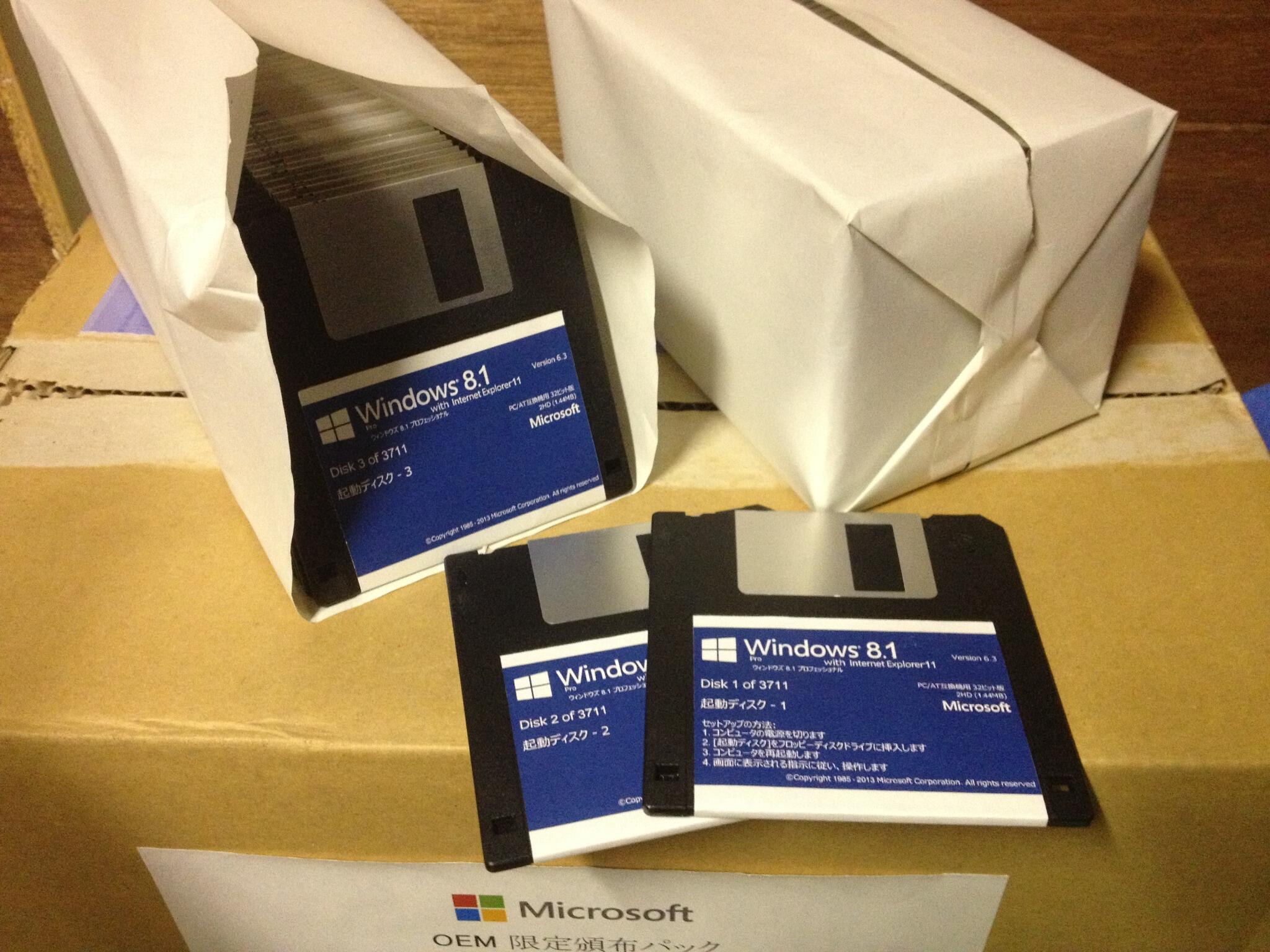


After using 8 for a while, I honestly don't see why people hate it so much. I don't use the Metro stuff, and the traditional Windows desktop experience is much faster. As a development environment I quite like it, and prefer it mightily over OSX as Apple tries to shoehorn that OS into an iOS-like frankenstein's monster.
I'll be upgrading to 8.1 as soon as I feel like it, but I just came here to chime in that I really don't get why people abhor 8 so much in the first place. It kind of feels like piling-on to me with no real substance behind. As a developer anyway--I can't speak to a non-technical user's experience with it.